

The Club Company Collection
Brand New App
Your New App is Here
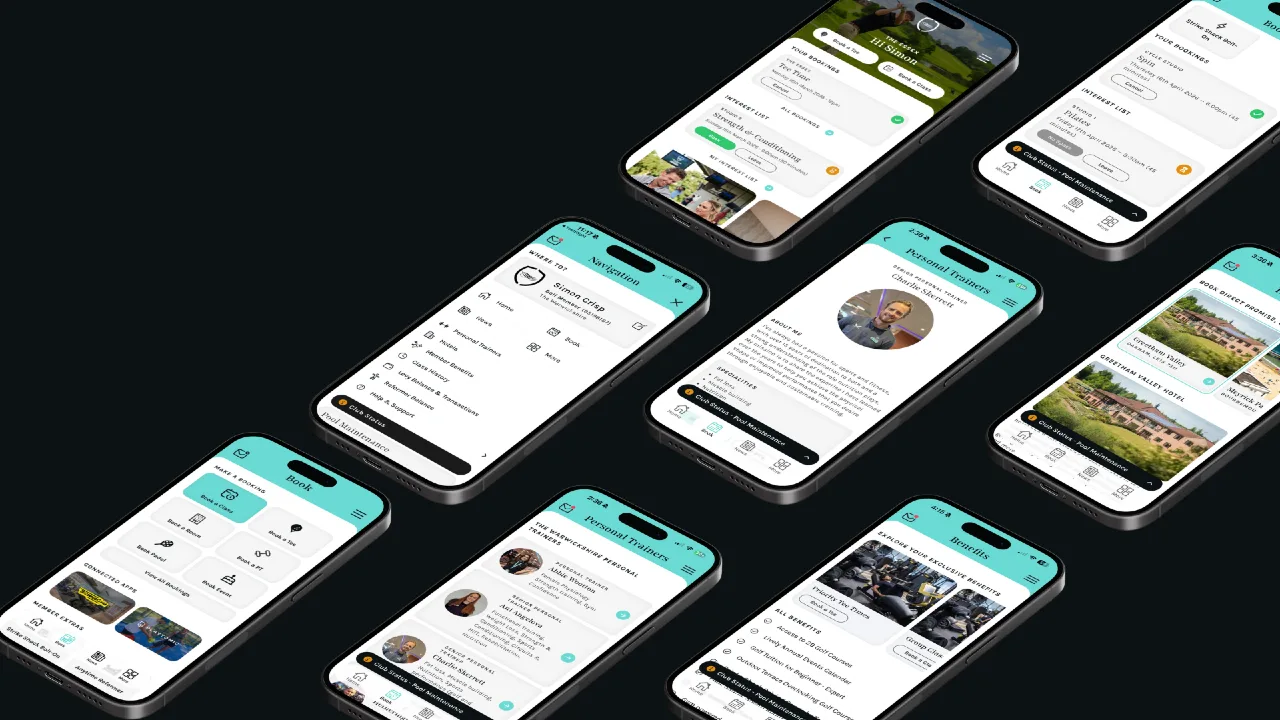
Faster, easier to use and designed to keep you better connected with your club, the new app is another way we’re making your Signature Health experience even better.
Now available to download on Apple & Android.
Signature Collection
Your Monthly Guest Pass
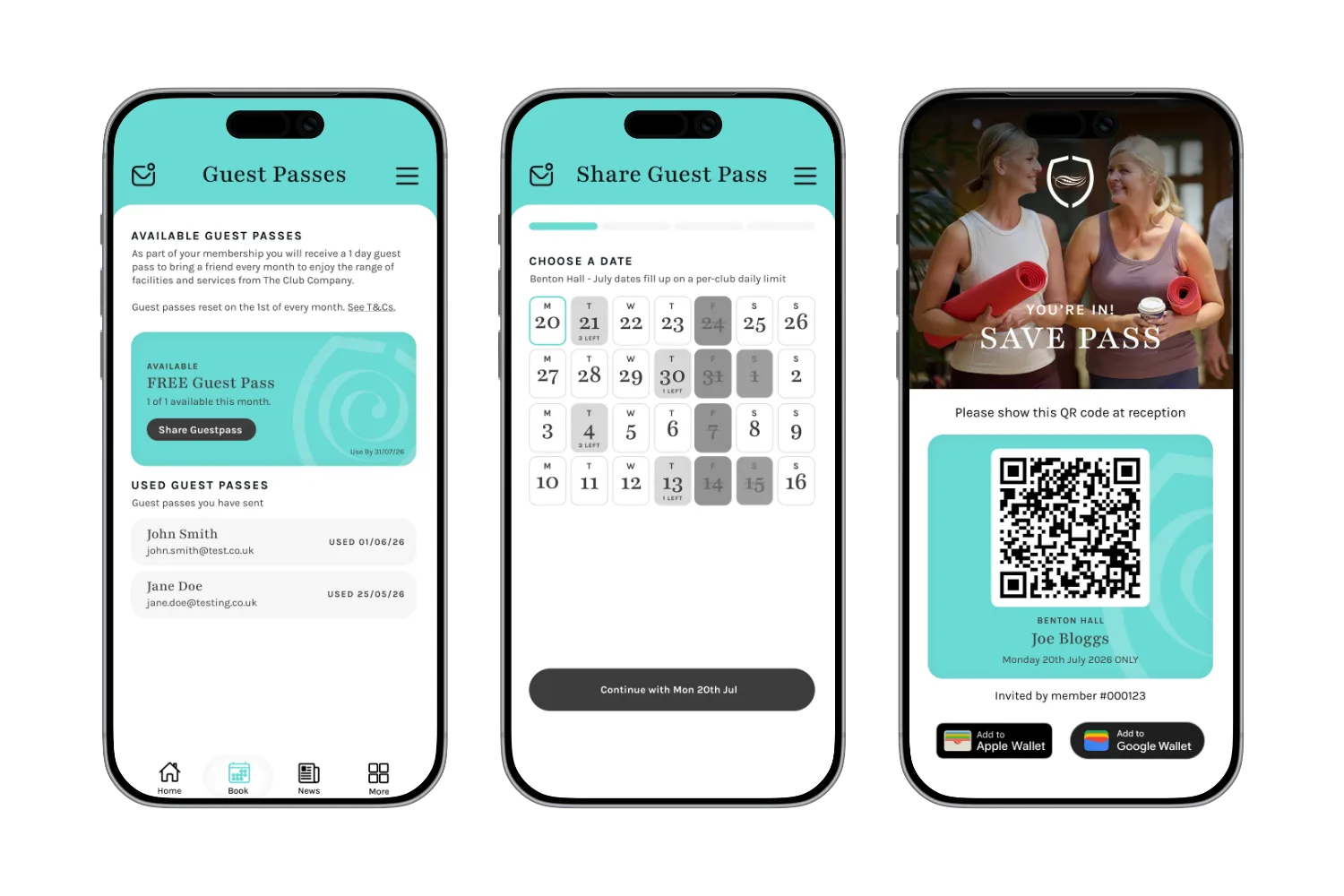
All Signature members at our clubs with health facilities now receive a complimentary guest pass each month. This benefit is available exclusively through the new app and refreshes on the 1st of each month.
Bring a friend for a morning workout or let a loved one experience the club for themselves. It’s your member benefit to use every month.

Book
Classes
Book your favourite classes, manage them all in one place and see all of your upcoming classes and interest lists.

Keep Updated
Club News
Find out what's happening at the club and stay informed with the latest news from your club.

Explore
Member Benefits
Get access to your monthly guest pass in the app, and explore your exclusive member benefits and offers with The Club Company.

Discover
Beautiful Hotels
From golf breaks to spa escapes or simply your next short holiday.
Made to Fit Your Routine
Bookings Made Easier
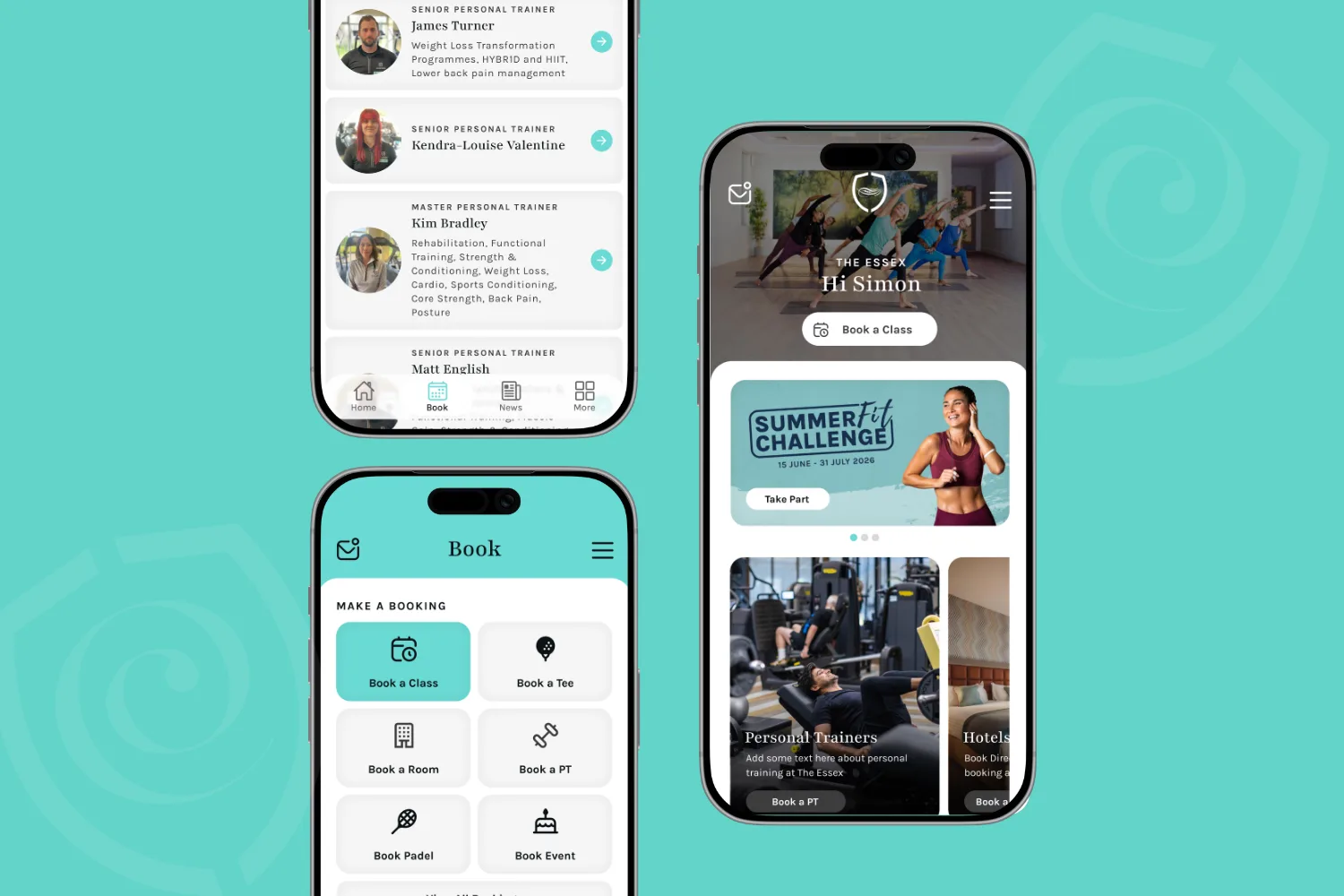
We've given the app a makeover! It now matches the look and feel of our website, so everything feels seamless whether you're on the go or planning ahead.
Enjoy a cleaner, more modern interface that's simpler to navigate and makes managing your classes a breeze.
You'll also spot a new headline carousel on the homepage, keeping you up to date with the latest offers and news, all in one easy-to-find spot.
Stay Up to Date
Club Status
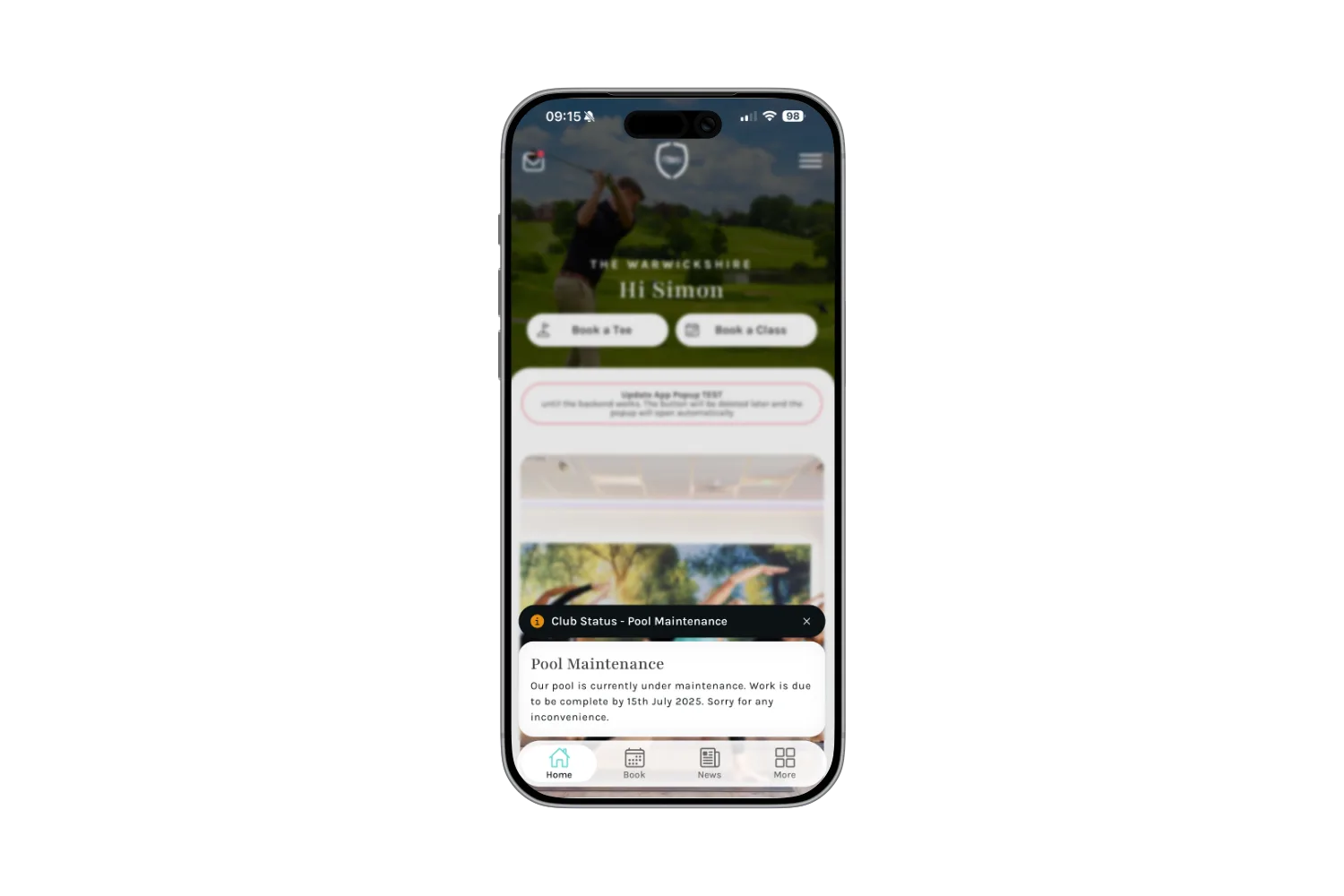
Before you head to the club, take a quick look at Club Status right on the app homepage - it's the easiest way to stay up to date on what's happening at your club ahead of your visit.
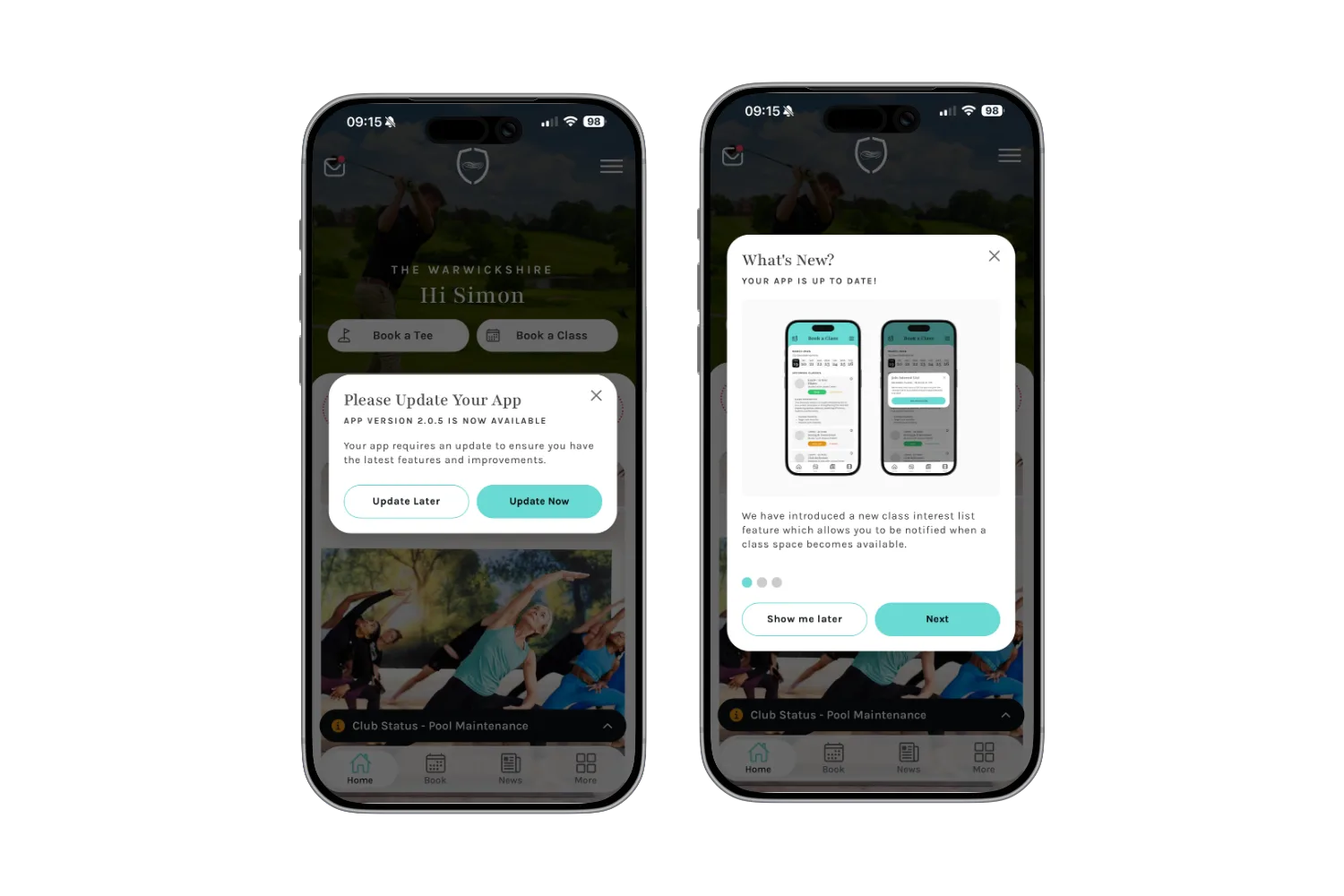
NEW
App Updates
When your app is due an update we will let you know, plus big updates will include a new 'what's new' feature to show you what we have been working on!
Need Some Help?
Do I need to create a new account, or will my details carry over from the old app?
You'll need to set up a new account - your old login won't carry over. Here's how to get started:
Download The Club Company App from the App Store or Google Play
Tap "Don't have an account? Sign Up" at the bottom of the log in screen
Enter the email address linked to your membership, along with your date of birth (if you use a different email to the one on your membership, this won't work)
Within 10 minutes, you'll get an email to set your password - as long as your email matches our records
Set your password, then head back to the app to log in
You're in! Enjoy exploring our new app
Can I still use the old app, or is it switching off straight away?
You can keep using the old app for a short while as we move everyone across to the new one. Once you've set up your account on the new app, though, please delete the old one - this helps avoid any mix-ups with bookings or support.
Will the new app work on my phone or tablet?
It will, as long as your device is still supported by Apple or Android - generally phones and tablets up to around 5–7 years old. This is a security standard set by Apple and Android, not by us, and it helps keep your data safe while giving you access to the latest features.
If your device isn't supported, don't worry - you can still book classes and catch up on news through our online portal. You'll find the login link under the Health and Golf menus on your club's website.
Has the way I book classes changed?
Not at all - booking classes works just the same, just with a better experience and a fresh new look.
What's different about this app compared to the old one?
After giving our website a makeover in 2025, it was time the app caught up too - so you get a great experience wherever you're using us. The biggest change is a simpler, cleaner design, plus some handy new features like an improved and more secure log in, guest passes, club status, app update notifications, and more.
Why have we moved to a new app?
We've updated the technology which means we can now add the new features we wanted to give you. The new app is faster, fresher, and makes finding what you need much easier - and it means we can keep building exciting new features, challenges and events for you down the line.
Who do I contact if I run into trouble with the new app?
We have a dedicated App Support Team on hand to help with any enquiries.
Please use the contact form on this page providing us with as much information as you can to help us support you faster.
Your app version can be found within the 'more' tab or navigation (3 lines top right).
What is the monthly guest pass?
Exclusively available on the app, it's a free monthly pass that lets you bring a guest to experience the club with you. You'll get a new pass on the 1st of every month - unused passes don't roll over, so it's worth using it while it's there.
Do I have to use facial recognition to log in?
When you first log in, you'll be offered the chance to set up facial recognition for faster access next time, that's your choice if you want to set it up. If you'd rather stick with your email and password, just skip this step; you can always turn it on later in the app's settings.
Which app do I download in App Store or Google Play? (Old Vs New)
As members move over to the new app, we will still have the historic app live for users. To download the new app, search for The Club Company Collection and look for the teal background and navy logo.
Where can I check my levy balance?
Your levy balance will be back on the app very soon - please rest assured that is still all in place, we are just doing some technical work behind the scenes, alongside other membership information being included on the new app. Thanks for your patience while we get this right.
I have signed up but not received a confirmation email - what can I do?
Check that the date of birth and email address used are the same as that on your membership.